


AI Customer Support with Vision
Show your agent what you see — get instant visual support.
AI Customer Support Agent with Screen & Camera Vision

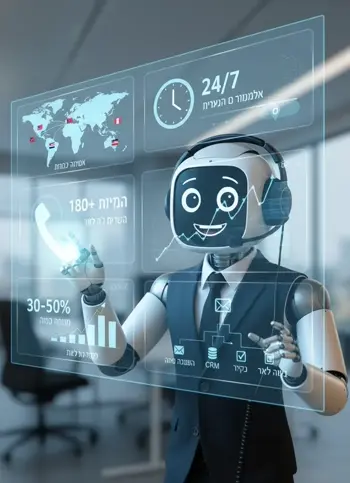
Why Is Vision-Powered Support the Future of Your Business?
Because describing a problem in words is nearly impossible. When a customer tries to explain what's broken over the phone, both sides get frustrated — the agent guesses and the customer repeats themselves. A vision-enabled support agent simply asks to see: a screen share or camera, spots the issue in seconds, and guides the fix step by step. Fewer misunderstandings, fewer escalations, and a customer who feels genuinely helped.
Because good support shouldn't wait for a free agent. Problems don't only happen during business hours. An AI support agent is available 24/7, handles several inquiries in parallel with no queues, and resolves most routine issues on its own — escalating to a human only when truly needed, with all the context already documented.
What Are the Additional Advantages of AI Support With Vision?
- Sees exactly what you see Screen sharing and camera let the agent identify error messages, wrong settings, or bad connections — without the customer needing to know technical terms.
- Guided step-by-step resolution The agent doesn't just diagnose — it walks the customer through the fix in real time and confirms the issue is closed before the call ends.
- Smart escalation with full context When a human is needed, they get everything — screenshots, an issue summary, and the steps already tried — so the customer never starts over.
- Full record of every inquiry Every support call is recorded, transcribed, and summarized automatically — a knowledge base that surfaces recurring issues and improves the product.
The Path to Smart Support: VOCO's Unique Process
We don't believe in generic "off-the-shelf" solutions. We built a gradual process based on your real issues and products:
Documentation
We gather your existing support inquiries — common issues, product docs, and guidelines — to understand exactly what customers run into.
Analysis & Scenario Design
Our experts, together with the AI, build diagnostic trees and visual tools, so the agent knows what to ask to see and how to guide each scenario.
Deployment & Rollout
The agent goes live and starts handling routine issues, spotting problems through screen and camera, learning and improving inquiry by inquiry.
Full AI Support Desk
In the end you have an agent that resolves most issues end to end, updates your support system automatically, and frees your team for the genuinely complex cases.
Ready for Visual AI Support?
Why Choose Us
Visual, patient technical support that never keeps customers waiting
Sees What You See
Share your screen or camera and the agent understands the issue in real time.
- Live screen sharing
- Camera feed for products & devices
- Points at exactly what to fix
Guided Troubleshooting
Walks customers through fixes step by step until the problem is solved.
- Diagnoses the root cause
- Clear step-by-step guidance
- Confirms the issue is resolved
Always Available
Round-the-clock support with no hold music and no queues.
- 24/7 availability
- Zero wait time
- Phone, WhatsApp & web
Smart Escalation
Knows when a human is needed and hands off with full context.
- Detects complex cases
- Warm handoff to your team
- Passes the full conversation
Full Records
Every session is transcribed, summarized, and ready as a ticket.
- Complete transcript
- Concise summary
- Auto-created tickets
Support Dashboard
Review every support session, summary, and recording in one place.
- Easy navigation
- At-a-glance summaries
- Full recordings
Who Is It For
Teams that support customers through products and devices
SaaS & Apps
Onboarding help, feature walkthroughs, and in-app troubleshooting.
E-commerce
Order issues, returns, and product setup with visual guidance.
Telecom & ISP
Router setup, connectivity checks, and device configuration.
Hardware & Devices
Installation, diagnostics, and repairs guided by camera vision.
Ready for Visual AI Support?
One Package. Three Channels.
Everything across Phone, WhatsApp, and Web — in a single, predictable plan.
Growth Package
Final price set per business — talk to us
- Dedicated phone number
- Instant 24/7 answering
- Multilingual support
- CRM + caller identity & history
- Call summary + intent tagging
Pay as you grow
Minutes from ₪0.7–1.2, depending on agent intelligence
Messages billed per bundle — ask for current rates